Custom hats, shirts, and more – Order online today!

How to Verify Print Shop Quality: A Step-by-Step Guide
Learn how to verify print shop quality with our step-by-step guide. Check DPI, color accuracy, durability, and more before ordering custom apparel.
Table of Contents
- Request and Evaluate Print Samples
- Assess Resolution, DPI, and Image Quality Standards
- Verify Color Accuracy and Profile Management
- How to Prevent Custom Shirt Prints from Cracking
- Choose the Right File Formats for Custom Apparel Printing
- Inspect Print Head Alignment and Mechanical Precision
- Confirm Proofing and Pre-Flight Processes
- Ask the Right Questions Before You Order
Last Updated: August 18, 2026
Request and Evaluate Print Samples
Requesting samples from a print shop before placing a large order is the single most important step in verifying print shop quality. A sample shows you exactly what the shop will deliver under real production conditions.
When you request samples, be specific: match your exact specifications for garment type, color, fabric weight, print placement, and design complexity. Ask the print shop to produce your sample using the same process they’ll use for your full order, not special hand-finishing techniques.
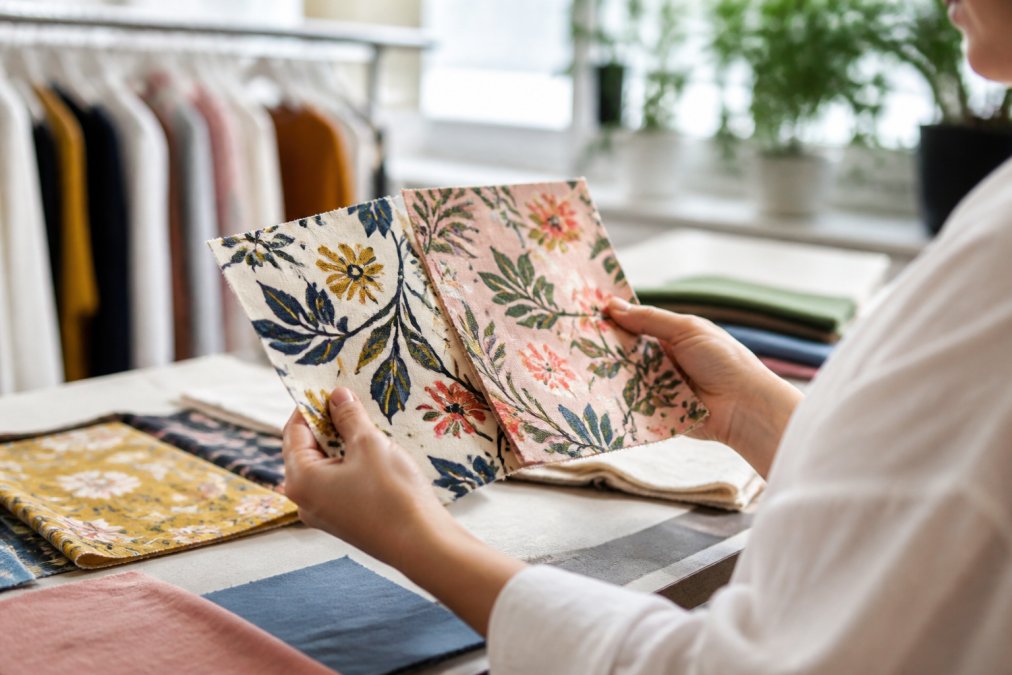
When the sample arrives, examine it under good lighting. Look at print edges, color consistency, fabric feel, and any signs of cracking, fading, or poor registration. Hold it up to your design file on screen. Does the color match? Is registration tight? Does the print feel stiff or flexible? Stiff prints are more prone to cracking during wear and washing.
A real print shop will welcome detailed questions about their samples and address your concerns directly. If a shop dismisses your questions or seems annoyed, that’s a warning sign.
Pro Tip
Request multiple samples if your order includes different colors or placements. A shop’s quality can vary significantly between a small chest logo and a full-back print, or between light and dark garment colors.
Request multiple samples if your order includes different colors or placements. A shop’s quality can vary significantly between a small chest logo and a full-back print, or between light and dark garment colors.
Assess Resolution, DPI, and Image Quality Standards
Resolution and DPI (dots per inch) directly determine whether your design will print sharp or blurry. The industry standard is 300 DPI for screen printing and 240 DPI minimum for direct-to-garment (DTG) printing. Low-resolution files produce visible pixelation and soft edges that become more obvious as print size increases.
Ask your print shop what DPI they require for your specific printing method. Screen printing demands 300 DPI because separations are created at that resolution. DTG printing can sometimes work at 240 DPI, but 300 DPI is safer. DTF (direct-to-film) printing also works best at 300 DPI.
Understanding DPI Requirements for Apparel
Different printing methods have different DPI requirements because of how they apply ink to fabric. Screen printing creates separate screens for each color from high-resolution separations. If your file is 150 DPI, the separation will be soft and print with fuzzy edges. DTG printing sprays ink directly onto the garment through a print head. The print head has fixed resolution, so submitting a low-resolution file won’t improve output quality.
When you submit files, the print shop should specify their DPI requirements in writing. A professional shop will have a file submission guide that tells you:
- Minimum DPI for each printing method
- File format requirements (PDF, TIFF, EPS, or other)
- Color mode requirements (RGB vs. CMYK)
- Maximum and minimum print sizes
- Bleed and safety margin specifications
Action Designs provides detailed file specifications for each printing method they offer, ensuring optimal output whether you’re using screen printing, embroidery, DTG, or DTF.
Key Takeaway
Always submit files at 300 DPI unless the print shop specifically approves lower resolution. This single step eliminates the most common cause of blurry, low-quality prints.
Always submit files at 300 DPI unless the print shop specifically approves lower resolution. This single step eliminates the most common cause of blurry, low-quality prints.
Checking for Pixelation and Sharpness
Pixelation is visible when a file doesn’t have enough resolution for the print size. A 1-inch logo at 72 DPI will look blocky and jagged when printed at 4 inches.
To check for pixelation before ordering, zoom into your design file at 100% magnification. If you can see individual pixels or blocky edges, the resolution is too low. Fine lines should appear smooth and small text crisp.
Vector graphics (created in Adobe Illustrator) scale infinitely without quality loss because they’re defined by mathematical curves, not pixels. Raster images have a fixed pixel count and lose quality when enlarged. For custom apparel, vector files are preferable for logos, text, and graphic elements. Raster images should only be used for photographic content at 300 DPI minimum at final print size.
Ask your print shop whether they prefer vector or raster files. Most will tell you vector files produce sharper results.
Verify Color Accuracy and Profile Management
Color accuracy is where many print shops fail. A design that looks perfect on your screen may arrive in a completely different shade because screens and printers use different color models.
Screens display color in RGB (red, green, blue), an additive color model. Printers use CMYK (cyan, magenta, yellow, black), a subtractive color model. These don’t map directly to each other. A bright RGB blue on your screen will never print exactly the same because printers can’t reproduce the same range of colors.
A professional print shop uses ICC profiles to manage this translation. An ICC profile tells the printer how to convert RGB colors to CMYK or adjust colors for specific inks and substrates. Without proper profiling, colors are guessed and results are inconsistent.
Ask your print shop what color management process they use. Do they use ICC profiles for their specific equipment? Do they perform color calibration regularly? Do they offer soft proofing before production? Request a color proof before your full order prints. A proof shows exactly how your colors will appear on your chosen garment, preventing expensive surprises.
Watch Out
If a print shop cannot provide a color proof or doesn’t use ICC profiles, their color accuracy is essentially random. This is a major red flag.
If a print shop cannot provide a color proof or doesn’t use ICC profiles, their color accuracy is essentially random. This is a major red flag.
How to Prevent Custom Shirt Prints from Cracking
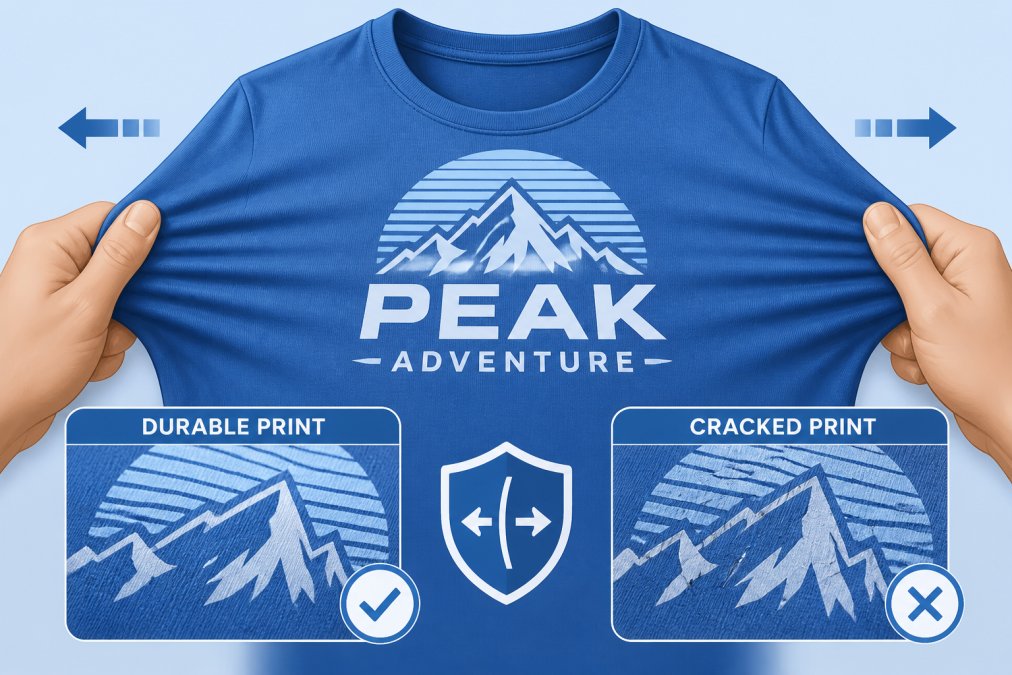
Print cracking is one of the most common complaints about custom apparel. This happens because of how ink or coating adheres to fabric, the flexibility of the print, and production care.
Different printing methods have different crack resistance. Screen printing uses thick ink on top of fabric. If the ink is too stiff or fabric moves too much, cracks develop. DTG printing uses water-based inks that penetrate fabric more deeply, making them more flexible and resistant to cracking. DTF printing uses a heat-transfer film that fuses to fabric, which is generally very durable if applied correctly.
The print shop’s curing process directly affects durability. After ink is applied, it must be cured, dried and set into the fabric. Screen printing uses heat or UV curing. DTG uses heat. DTF uses heat and pressure. Incomplete curing means the ink won’t fully bond and cracking will occur during washing or wearing.
Testing Durability Through Wash and Wear
The best way to verify that a print shop’s output will last is to test their samples through real-world conditions. Wash the sample shirt multiple times using the same method your customers will use. After 5-10 washes, examine the print for cracks, fading, or peeling.
A durable print should show minimal change after multiple washes. Color might fade slightly, which is normal, but cracks, peeling, or significant color shift indicate poor durability.
Ask your print shop about their curing standards. How long do they cure screen-printed shirts? What temperature? For DTG, how long does the garment sit in the dryer? For DTF, what pressure and temperature are used? A shop that answers precisely is managing their process carefully.
Durability also depends on garment quality. Low-quality fabric with loose weave will show print wear faster than high-quality fabric. A professional print shop will recommend garment quality that matches the printing method and intended use.
Pro Tip
Always test samples through at least 5 wash cycles before approving a large order. This catches durability problems before they affect your entire production run.
Always test samples through at least 5 wash cycles before approving a large order. This catches durability problems before they affect your entire production run.
Choose the Right File Formats for Custom Apparel Printing
File format determines whether your design will print correctly and whether the print shop can modify your design if needed.
Vector file formats (EPS, PDF, AI, SVG) are ideal for logos, text, and graphic elements. They store images as mathematical curves and lines, so they scale infinitely without quality loss. Most professional print shops prefer vector files because they’re predictable and easy to manipulate.
Raster file formats (JPG, PNG, TIFF, BMP) store images as pixels. They’re necessary for photographs and complex artwork with many colors and gradients. However, raster files have fixed resolution. For custom apparel, raster files should be used only for photographic content at 300 DPI minimum at final print size.
PDF is a hybrid format that can contain both vector and raster content. PDFs are widely accepted by print shops because they preserve formatting and fonts reliably.
Ask your print shop what file formats they accept and prefer. Color mode matters too. RGB is the default on most computers, but print shops need CMYK for accurate color reproduction. Before submitting files, convert them to CMYK. Transparent areas should be filled with solid colors or removed entirely.
Inspect Print Head Alignment and Mechanical Precision
For DTG and DTF printing, print head alignment is critical to output quality. If the print head is misaligned, colors will be off-register, meaning the cyan, magenta, yellow, and black layers won’t line up perfectly. The result is visible color fringing or blurriness.
A well-maintained printer has its print head aligned and calibrated regularly. Alignment should be checked at the start of each production day and between large print runs.
Ask your print shop how often they calibrate their equipment. Do they have a daily maintenance schedule? Do they perform print head cleaning and alignment checks? Professional shops will have documented procedures.
Mechanical precision also affects print placement. When you receive samples, measure the print placement using a ruler to verify it’s centered where you specified. If placement is off on the sample, ask the shop to adjust before production.
Confirm Proofing and Pre-Flight Processes
A pre-flight process is the print shop’s quality check before production. The shop reviews your files, checks for errors, and prepares the design for printing. A thorough pre-flight catches problems early, before expensive production mistakes happen.
During pre-flight, the shop should verify file resolution and format compatibility, color mode, bleed and safety margins, text rendering and font issues, missing or embedded images, print size and garment fit, and ink coverage.
A professional shop will provide a pre-flight report or checklist and contact you before production if they identify issues.
Soft proofing is a digital preview of how your design will print. The shop creates a digital mockup showing your design on your chosen garment with colors adjusted to match printer output. Hard proofing is a physical sample printed on your actual garment, the most accurate preview possible.
Ask your print shop about their proofing options. Do they provide soft proofing? Hard proofing? How much does it cost? How long does it take?
Ask the Right Questions Before You Order
Before you commit to a print shop, ask specific questions that reveal their quality standards and capabilities.
Ask about their equipment. What printers do they use? How old are they? When was the last maintenance? Ask about their team. Who will handle your order? Do they have experienced operators? What’s their training process? Ask about their quality control. What steps do they take to check quality during production? Do they inspect every garment or only a sample?
Ask about turnaround time. How long does production take? Can they rush orders? What’s the cost difference? Ask about minimum order quantities. Some shops have high minimums for cost reasons. Others can handle small orders but charge more per unit. Action Designs offers scalable production from single shirts to full collections.
Ask about revisions. If you need to make changes, what’s their process? How many revisions do they allow? Ask for references or case studies. Can they show examples of similar work? Can they provide customer references?
Ask about sustainability practices if that matters to your brand. Do they use eco-friendly inks? Do they recycle waste? Do they have certifications?
Key Takeaway
The questions you ask reveal whether a print shop is focused on quality or just moving volume. A shop that answers thoroughly and patiently is worth working with.
The questions you ask reveal whether a print shop is focused on quality or just moving volume. A shop that answers thoroughly and patiently is worth working with.
Verifying print shop quality before you order protects your brand reputation and budget. Requesting samples, checking resolution and color accuracy, testing durability, and asking detailed questions takes time upfront but saves you from expensive mistakes later. A professional print shop will welcome your scrutiny because they’re confident in their work.
Action Designs prioritizes this level of transparency and quality control across all their printing methods: screen printing, embroidery, DTG, and DTF. They provide detailed specifications, offer proofing options, and work with clients to ensure every order meets expectations. Choose a print shop that treats quality verification as a standard part of their process, not an inconvenience.
Frequently Asked Questions
What DPI or PPI should I request for custom apparel printing?
For most apparel printing, 300 DPI is the industry standard and delivers sharp, vibrant results. Some shops use 600 DPI for fine details or smaller designs. Ask your print shop what resolution they work with and ensure your files meet that requirement. Higher DPI doesn't always mean better results on fabric, 300 DPI on quality substrate typically outperforms 600 DPI on poor-quality garments. Request samples at your intended size to verify sharpness before committing to a full order.
How do I know if a print shop uses high-quality ink?
Ask the shop directly about their ink types and brands. Quality shops use professional-grade inks suited to their printing method, water-based, plastisol, or specialty inks depending on the technique. Request samples printed with their standard inks and wash them multiple times to check for fading or cracking. Examine color vibrancy, saturation consistency, and how the ink feels on the fabric. Reputable shops are transparent about their materials and can provide documentation of ink certifications or environmental compliance.
What file formats work best for custom apparel printing?
Vector graphics (AI, EPS, PDF) are ideal because they scale without losing quality, making them perfect for apparel of any size. For raster images (JPG, PNG), ensure they're at least 300 DPI at your final print size. Ask your shop which formats they prefer, most accept multiple file types. Avoid low-resolution JPGs or compressed files. Provide your artwork in RGB or CMYK depending on the printing method, and always ask the shop for their specific file submission guidelines before sending artwork.
How can I verify that custom shirt prints won't crack after washing?
Request durability samples and wash them yourself using standard household methods, machine wash warm, tumble dry low. Check the print after 5, 10, and 20 washes for cracking, peeling, fading, or color bleeding. Quality prints should show minimal wear after 20+ washes. Ask the shop about their curing process, ink type, and substrate pre-treatment, as these directly affect longevity. Also inquire about their warranty on print durability. A shop confident in their work will guarantee prints hold up under normal wear and washing.
This article was written using GrandRanker